Want this as a document?
Download the Viewer Guide to print or share.

Simple Asset Tracker
Viewer Guide
For staff who need to see the register without changing it
Version 1.2.5 · 09 October 2026
About this guide
Your account can see the dashboard and verification events, but cannot create, edit or delete anything. It is meant for people who need visibility into the asset register — auditors, finance staff, managers — without the ability to change what is in it.
Screenshots are marked with numbered red badges. Each badge matches a numbered step in the text below the picture.
Signing in
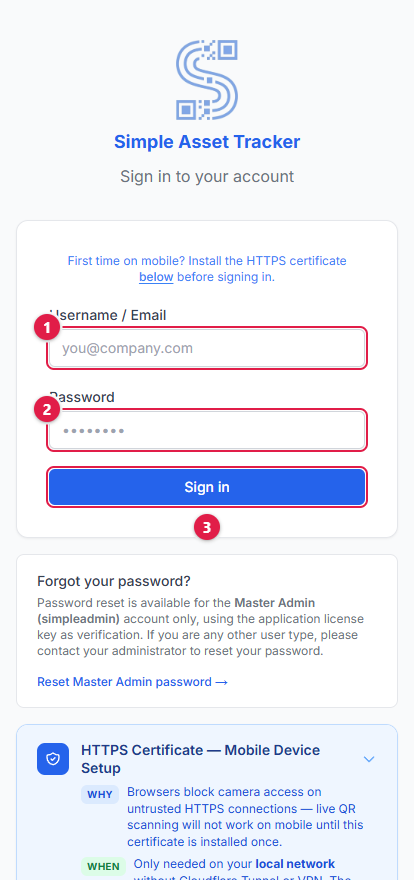
- 1.Type the username your administrator gave you.
- 2.Type your password.
- 3.Click Sign In.
Your administrator will also give you the web address to use. The application knows your role from your account and takes you straight to the right place.
What you can see
Your sidebar has only two links: Dashboard and Events. Every other section of the application — Assets, Issue Tracker, Import, Users, Settings — is hidden from your account entirely, not just greyed out.
The dashboard
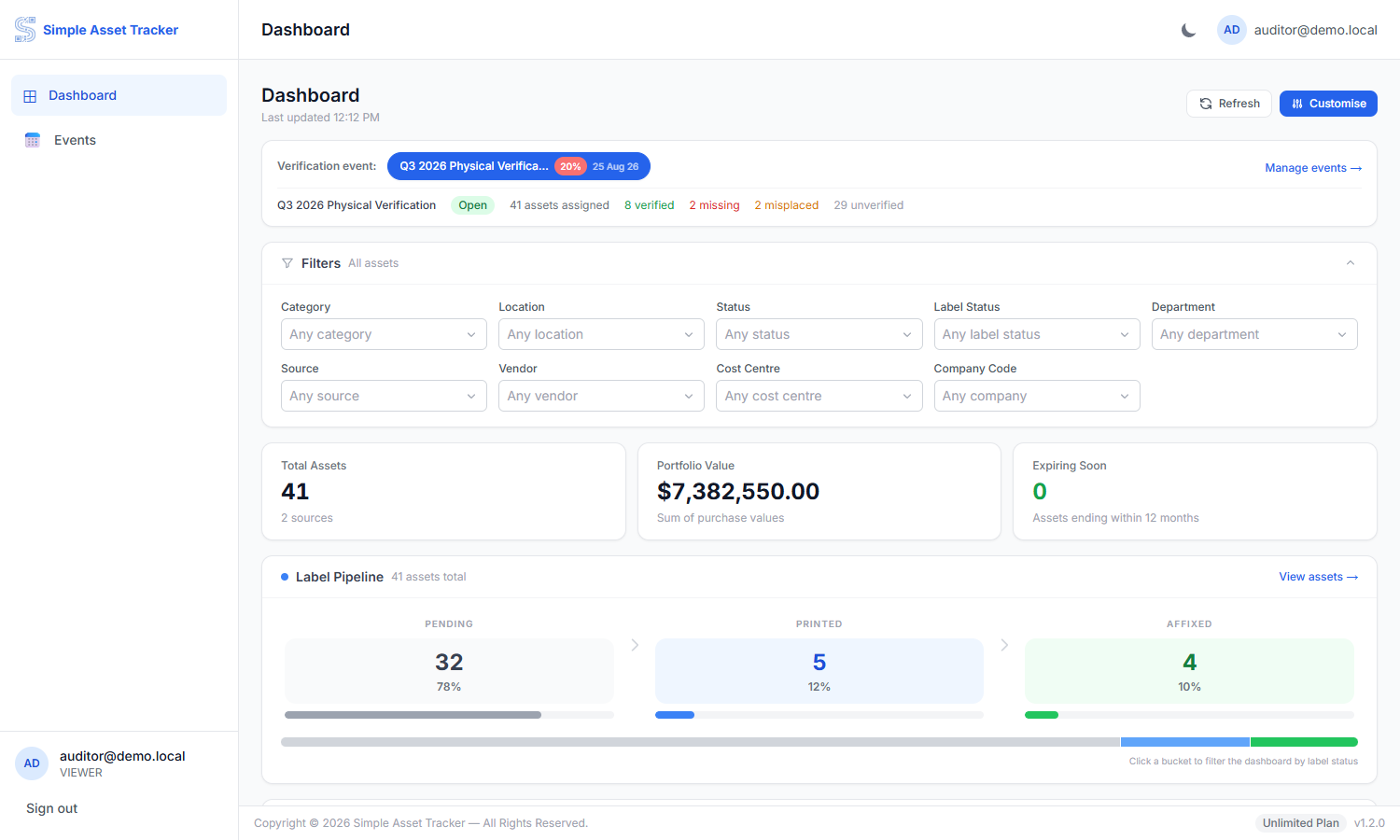
This is the same dashboard an administrator sees: the current verification event, filters, the headline totals, and the label pipeline. You can filter and drill in exactly as they can — the only thing missing is anything that changes a record.
Verification events
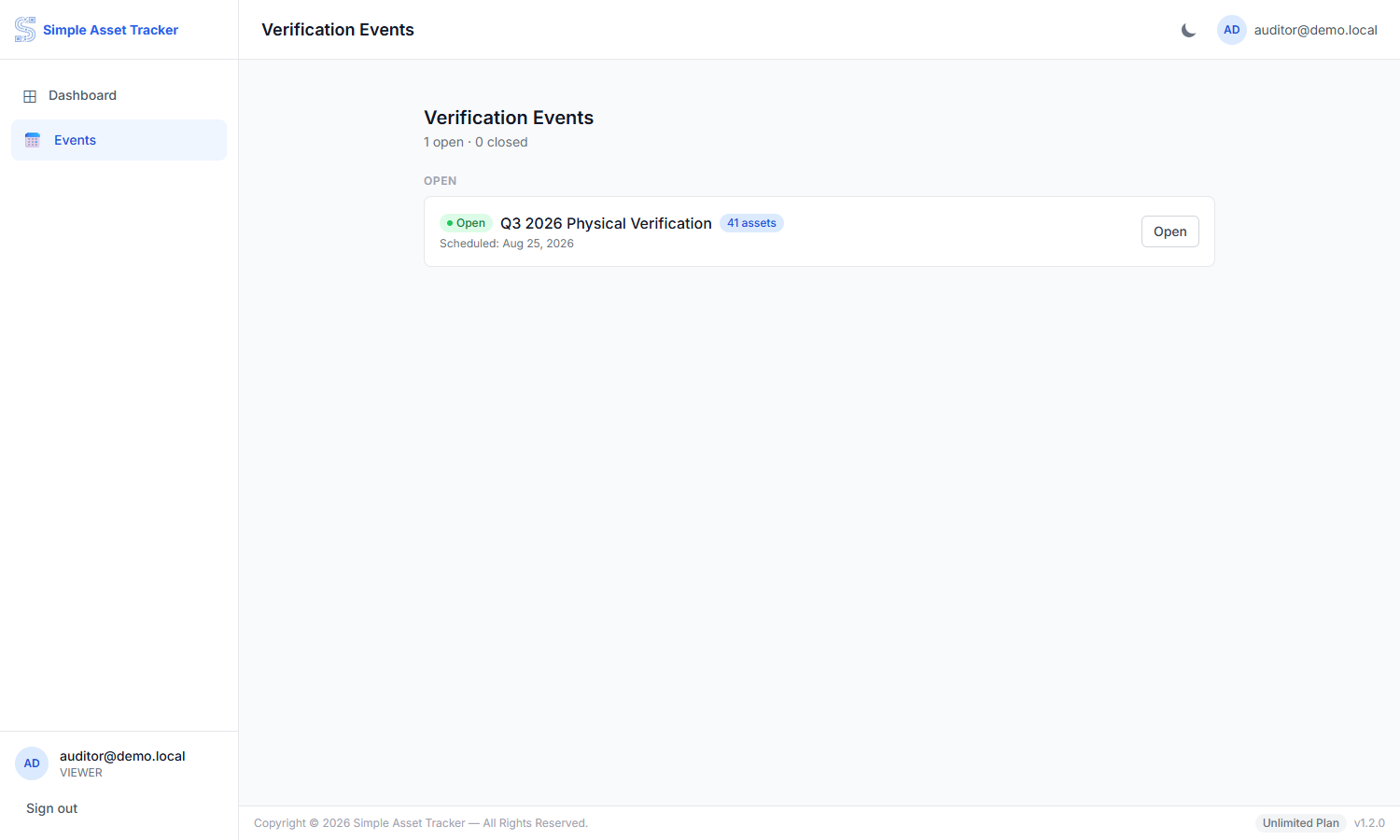
You can open any event and see its detail and progress. There is no New Event button — creating and managing events is an administrator's job.
Appendix A — Words used in this guide
| Term | What it means |
|---|---|
| Asset | A single piece of equipment the organisation owns. |
| Verification event | One round of physical checking, set up by an administrator. |
Appendix B — If something goes wrong
| Problem | What to do |
|---|---|
| I cannot sign in | Check the username, and remember that repeated failures pause sign-in for a few minutes. Ask your administrator to reset your password if you are stuck. |
| I do not see an option to add or edit something | That is expected — your account is read-only. Ask your administrator to make the change. |